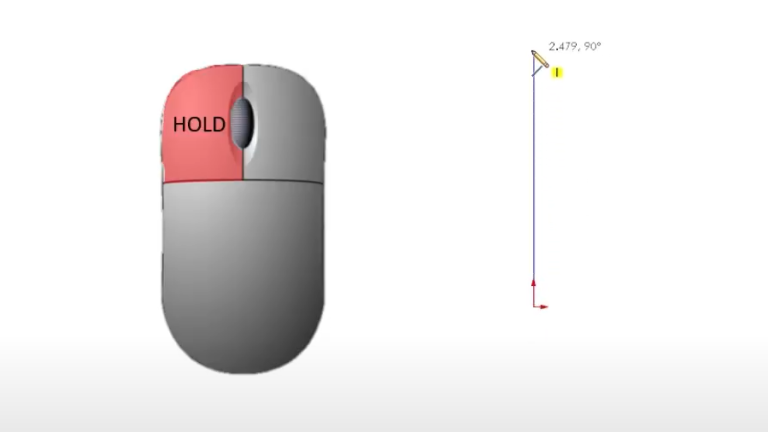
If you’ve ever struggled to get clean, closed contours or found yourself fighting with uncooperative SOLIDWORKS sketches, this post is for you. Choosing the best sketch method might seem straightforward at first, but it depends on the type of sketch tool used and the desired result. What SOLIDWORKS Sketch Methods Exist? With SOLIDWORKS sketches, you […]
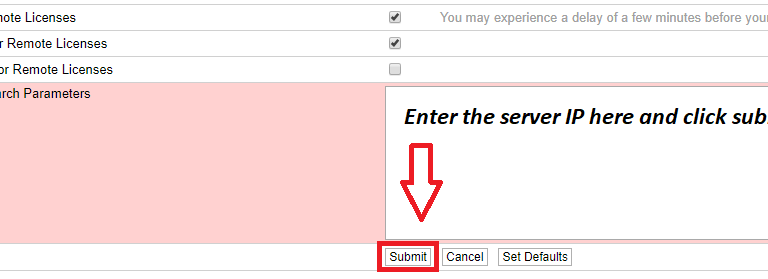
How to Activate a SolidCAM Network License
SolidCAM is a powerful, integrated CAM solution designed to streamline manufacturing processes. For teams working in collaborative environments, a SolidCAM network license is essential. Network licenses allow multiple users to access SolidCAM efficiently without requiring individual licenses on every workstation. In this guide, we’ll walk you through the entire process of setting up your SolidCAM […]
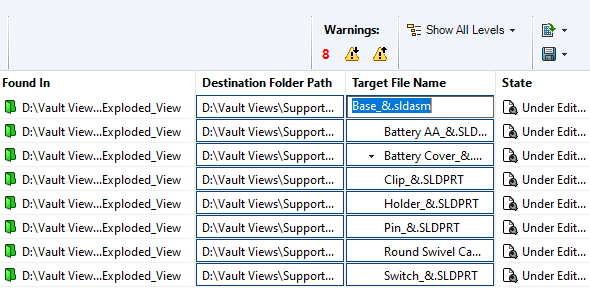
SOLIDWORKS PDM Copy Tree Tool delivers powerful file management
The Copy Tree tool within SOLIDWORKS PDM is designed to help engineering teams manage their design data efficiently. Copy Tree offers similar functionality to SOLIDWORKS’ standalone Pack & Go tool, but with enhanced capabilities tailored specifically for use within SOLIDWORKS PDM. This feature is particularly useful for users who need to replicate file structures, rename […]
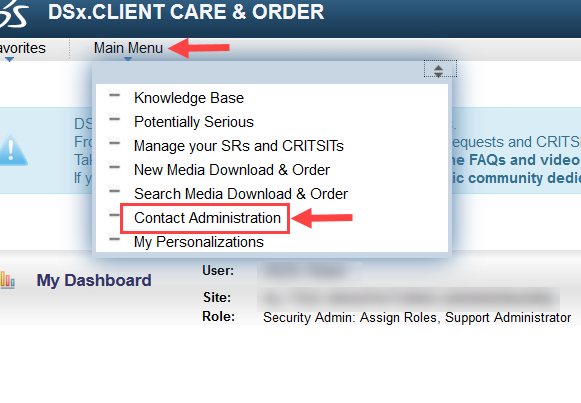
How to Navigate the DSx.Client Care & Order Website
The DSx.Client Care & Order website allows you to add, remove, or modify access to subscription benefits for your organization. Without being configured properly, your SOLIDWORKS users may not be able to make full use of their benefits. Are you unable to access SOLIDWORKS media downloads? Do you need to manage your company’s 3DExperience user […]

How to Simulate Fluid-Structure Interaction Using 3DEXPERIENCE
Simulation tools on the 3DEXPERIENCE platform empower designers and engineers to solve fluid-structure interaction (FSI) problems. With advanced meshing capabilities, robust solvers, and cloud computing, 3DEXPERIENCE simulation can streamline your product design process. The computational fluid dynamics role, Fluid Dynamics Engineer, combined with a finite element analysis role, Structural Mechanics Engineer, can be used to […]

Understanding SOLIDWORKS BOM Options for Replacing Components
When working with a SOLIDWORKS BOM, there are several options that can help us specify how to manage removed or replaced components. The two options we will address here are Keep Missing Item/Row and Do not change item numbers. At first glance, it may seem that these settings conflict, but if we take a closer look, […]

How to Use the Preview Sketch Dimension Tool
The Preview Sketch Dimension tool, introduced in SOLIDWORKS 2024, enables you to fully define and place sketch dimensions without needing to use the Smart Dimension command. Creating a design in SOLIDWORKS usually follows a straightforward process by starting a sketch, dimensioning it, and extruding a feature. The most time-consuming part is applying dimensions to fully […]

Solving the “Face is not laying on the boundary between the solid and fluid region” Error
When trying to validate a boundary condition in SOLIDWORKS Flow Simulation, we may get an error stating “Face is not laying on the boundary between the solid and fluid region”. Typically, there are three main reasons the error message will appear, and the solutions are straightforward. The three most common reasons are invalid geometry, invalid […]

Using SimulationXpress for Free FEA Analysis
SOLIDWORKS SimulationXpress is a powerful yet accessible tool for structural simulation and validation. Whether you are new to finite element analysis (FEA) or just curious about how loading might affect your model, SimulationXpress offers a great starting point to run first-pass FEA analysis on SOLIDWORKS parts. What is SimulationXpress? SOLIDWORKS SimulationXpress is a free, user-friendly […]

SOLIDWORKS Display Data Mark Best Practices Guide
When working with configurations in SOLIDWORKS, the Display Data Mark option can be enabled, which saves the geometric display data into the file for quick access downstream. The display data is primarily used in Quick View and Large Design Review modes, as well as in the eDrawings Viewer. However, using this option can also lead […]