
One of the new features included with SOLIDWORKS 2024 is the long-requested ability to save your files as versions compatible with previous versions. Starting with 2024 all future versions of SOLIDWORKS will allow you to save files in the versions of the two most recent editions. For example, in SOLIDWORKS 2024 you can save your […]
Category: Uncategorized

Sailing Toward New Horizons using Fluid Model Creation App on 3DEXPERIENCE
Computational fluid dynamics simulation is extensively used in the modeling of fluid flows including thermal management studies. Fluid Dynamics engineer role on 3DEXPERIENCE platform includes a native application ‘ Fluid model creation’, that enables users to dive into the depths of virtually representing the fluid flows without undue complexities of the model setup. In fluid […]

How to use Link Connector for Structural Analysis on the 3DEXPERIENCE Platform
In the ever-evolving world of engineering simulation, Structural Analysis roles on the 3DEXPERIENCE platform enable engineers to predict and validate the performance of their product designs in a unified cloud-based environment. At its core lies the powerful ABAQUS solver technology that allows users to simulate a wide variety of physics. The role’s ability to seamlessly […]

Windows 11 File Explorer Not Updating Correct Folder Path in SOLIDWORKS PDM File Vault
Is Windows 11 File Explorer not updating correct folder path in SOLIDWORKS PDM File Vault? This problem may impact Windows 11 client systems with the Windows configuration update from September 26, 2023 (KB5030509) installed. Systems experiencing this issue do not show folder names in the address bar during navigation within the vault view. The SOLIDWORKS® PDM 2024 […]
3DEXPERIENCE Scenario Manager modifies Simulation Type
The 3DEXPERIENCE Scenario Manager in the Structural Performance Engineer role and Structural Mechanics Engineer role on the 3DEXPERIENCE platform is a hidden gem when modifying the simulation type of structural analysis case. Imagine a situation where you set up a nonlinear static simulation and later realize analysis should be an implicit dynamic instead of a static […]

What’s New in SOLIDWORKS PDM 2024
With each new version of SOLIDWORKS PDM, companies are faced with the dilemma of performing an upgrade or not. SOLIDWORKS does their customers a genuine service by providing a new version of the “What’s New in SOLIDWORKS PDM 2024”. They have gone to great lengths to provide users with any new additions, modifications, and improvements […]
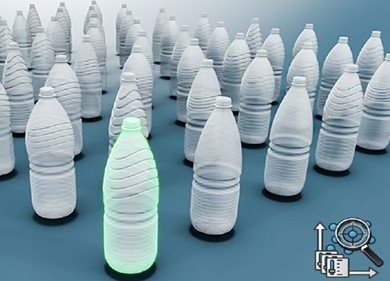
Unlock Advanced Parametric Design Options
Parametric design study is a powerful tool that enables engineers to optimize their product designs by analyzing the impact of various design parameters on their product’s performance. The Parametric Design Options can be explored on the 3DEXPERIENCE platform using the Parametric Design app. This application is available with roles such as Structural Engineer, Structural Performance […]

How To Improve SOLIDWORKS Graphics Performance on Laptops
Are you noticing slow graphics performance in SOLIDWORKS on your new laptop? Here are 3 ways to improve SOLIDWORKS Graphics Performance. Your GPU driver is outdated or not certified for SOLIDWORKS Windows is telling SOLIDWORKS to use your integrated graphics card, not the powerful discrete one. The NVIDIA Control Panel is not configured correctly Improve […]

Creating New SOLIDWORKS PDM Users
Before your SOLIDWORKS PDM users can start working in the vault they will need to be set up within SOLIDWORKS PDM first, to do this follow the steps below. Creating New SOLIDWORKS PDM Users Step-by-Step Guide Open the “Administration” tool and log in to the vault as “Admin” or a user that has the “Can […]

Ultimate SOLIDWORKS Resource Guide: How to Learn SOLIDWORKS
Whether you are a beginner or self-taught, the best place to start learning SOLIDWORKS is with training. Formal training is an invaluable investment that provides software insight from our certified instructors, but we understand that there are alternative ways of getting more knowledge about SOLIDWORKS for free. We have self-guided SOLIDWORKS resources to help start […]