Tout a commencé par une question sur Slack d’un collègue. « Tu sais comment on augmente la taille de nos runners CI ? Je ne trouve pas la doc. »
Vers l’IA Agentique chez AWS
Le re:Invent 2025 a marqué un tournant côté AWS passant de l’IA générative vers une IA agentique, avec des agents autonomes capables de collaborer avec les membres de l’équipe. Bedrock agentcore en est l’exemple.
Tools In Action: Aqua Security Trivy Operator
Vous connaissez sûrement déjà Aqua Security Trivy, un outil tout en un pour scanner vos images de conteneurs et votre infrastructure. L’intégrer à votre CI/CD pour remonter rapidement les failles de sécurité ou les erreurs de configuration est un bon début, mais que se passe-t-il une fois vos conteneurs déployés ? Une nouvelle CVE n’attendra […]

Augmented Dev & Ops : l’évolution naturelle
Depuis plusieurs mois, nos missions ont profondément évolué : la façon dont nos ingénieurs travaillent, le temps qu’ils consacrent à chaque étape, les questions qu’ils se posent. C’est ce constat qui nous a conduits à un nouveau positionnement : Augmented Dev & Ops.
sécuriser la Supply Chain Terraform de bout en bout
La fin du “Works on my machine” L’adoption de l’Infrastructure as Code (IaC) avec Terraform a été une révolution pour nos opérations. Pourtant, dans de nombreuses équipes, l’exécution de ce code reste étrangement artisanale. Le code est versionné, certes, mais le déploiement se fait encore trop souvent depuis le terminal d’un ingénieur, avec un simple […]
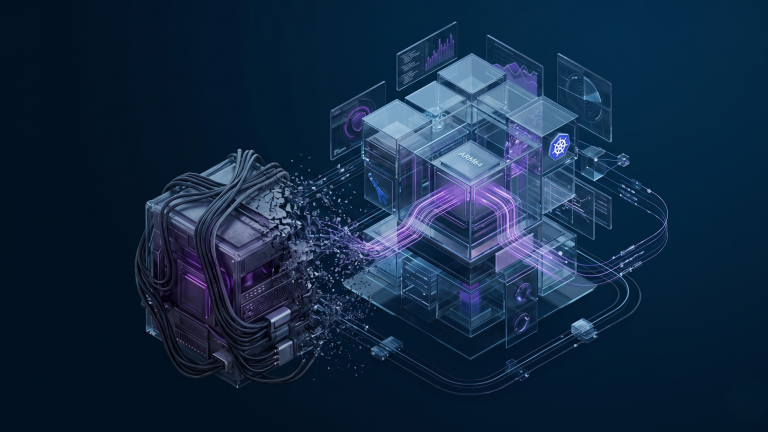
Pourquoi votre VM de Pentest locale est obsolète (et comment l’ARM64 change la donne)
Le paysage de la cybersécurité offensive traverse une mutation silencieuse. Pendant des décennies, le modèle de référence a consisté à s’équiper d’un ordinateur portable massif pour y configurer une “Machine Virtuelle” (VM) Kali Linux. C’était l’environnement de sécurité par excellence : un système sous contrôle, mais souvent lourd, isolé et limité par les capacités du […]
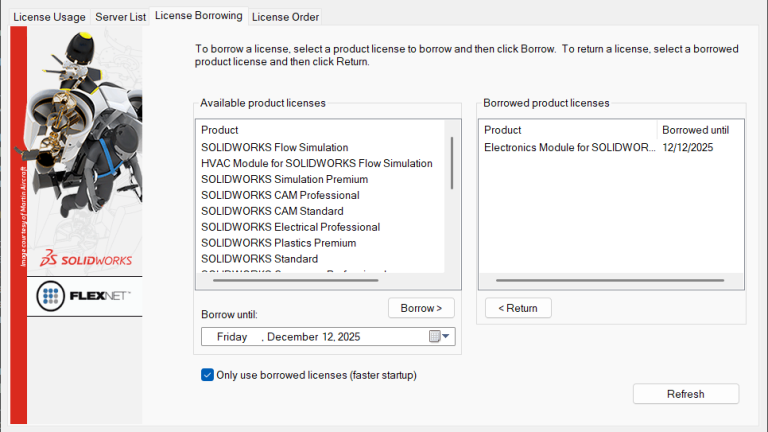
How to Only Use Borrowed Licenses with SOLIDWORKS
A SOLIDWORKS network allows distributed teams to share a pool of licenses and only take ownership when they use the software. This works great with everyone on the same network or connecting through a VPN, but for those without an internet connection, there needs to be another method to pull a license. Borrowed licenses let […]
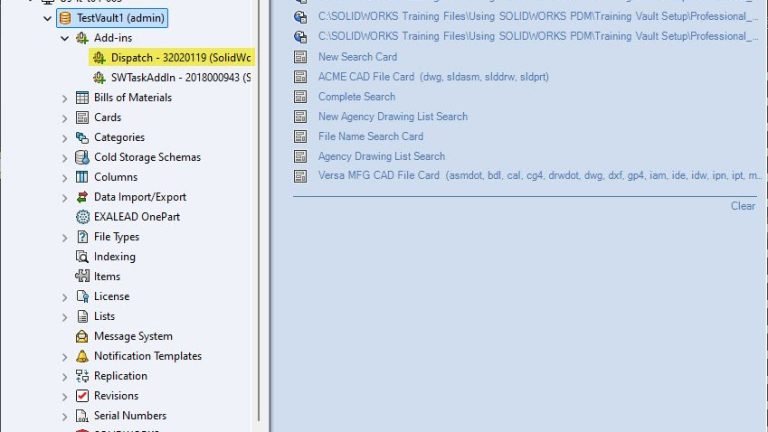
How to Use SOLIDWORKS PDM Dispatch to Automatically Rename Files
SOLIDWORKS PDM Dispatch is a small programming tool that comes standard with SOLIDWORKS PDM Professional. Commonly referred to as Dispatch, this program allows you to automate tasks and is fully customizable to meet your needs. If the dispatch add-in is installed in a SOLIDWORKS PDM Professional vault, it can trigger a variety of events. In […]
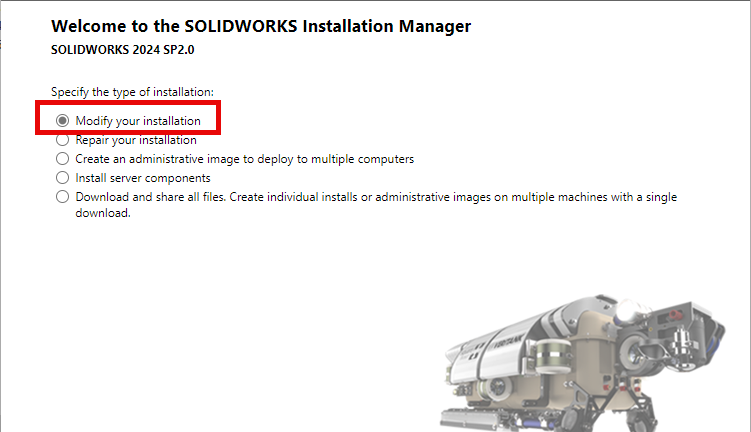
How to Install SOLIDWORKS CAM Standard and CAM Professional
SOLIDWORKS CAM Standard and SOLIDWORKS CAM Professional allow users to create CNC toolpaths directly inside SOLIDWORKS, eliminating the need to export geometry to third-party CAM software. By integrating manufacturing directly with design, SOLIDWORKS CAM helps reduce errors, save time, and maintain design intent throughout the production process. This guide walks through how to install SOLIDWORKS […]
Kiro, l’IDE spec-driven d’AWS
Les assistants de développement basés sur l’IA se sont imposés très vite dans les pratiques quotidiennes. On a rapidement vu émerger les pratiques de vibe coding. En quelques mois, ils sont passés du statut de gadget prometteur à celui d’outil presque incontournable pour accélérer la production de code. Mais derrière cette promesse, une difficulté demeure […]