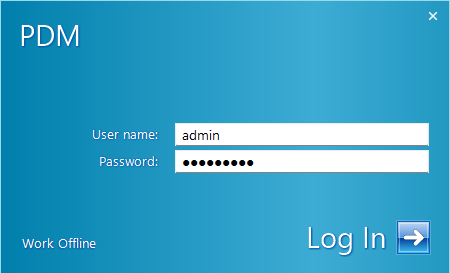
SOLIDWORKS PDM Tasks are automated jobs that PDM can run for you. These tasks can be run on demand from the right-click menu or automatically during workflow transitions.
The Task Host can be set up on each user’s computer, or it can be set up on a system dedicated to running automated tasks. Setting up a dedicated computer to run these tasks can avoid taking up a designer’s workstation.
What Can I Use PDM Tasks For?
SOLIDWORKS PDM Standard has a streamlined Convert Task for generating PDFs from SOLIDWORKS drawings. In SOLIDWORKS PDM Professional, you can create and customize multiple tasks such as converting SOLIDWORKS drawings into PDF, exporting STEP files, running design checker, or creating DXFs.
Requirements to be a PDM Task Host
To set up a dedicated computer for running SOLIDWORKS PDM Tasks, there are a few requirements. Ensuring the requirements are met can give you the most streamlined experience running tasks without having to manually interact to clear messages or free up resources.
- SOLIDWORKS, SOLIDWORKS PDM, and other relevant software must be installed on the machine with an available license to execute the tasks.
- A SOLIDWORKS PDM user must be logged in on the machine.
- The Task Host machine must not sleep or hibernate during times when tasks may execute, as that can cause the task to fail.
- SOLIDWORKS should be running with pop-ups disabled.
- “Load Referenced Documents” should be disabled in the SOLIDWORKS settings.
How to Set Up a SOLIDWORKS PDM Task Host Computer
- On the computer being used for the tasks, log in to the local vault via Windows File Explorer.
- In Windows, right-click the SOLIDWORKS PDM tray icon and choose Task Host Configuration.
 Opening the SOLIDWORKS PDM Task Host Configuration
 - Select the PDM vault that you want to permit the task execution and allow the specific tasks using the Permit column.
 Permitting specific tasks in the PDM vault
 - On a computer that has the SOLIDWORKS PDM Administration tool, log in as an admin. Double-click the task(s) that you’d like to be configured with the specific task host.
 Opening task with the SOLIDWORKS PDM Administration tool
 - Choose the user who will be running the task. Under the chosen users’ settings, they must have the “Can accept tasks to execute on a host” checked in their permissions.
 Selecting the user for task execution
 - Click on Execution Method and select the computer that will be used as the task host. This change is global and can be configured from any computer that can access the SOLIDWORKS PDM Administration tool.
 Selecting a machine for PDM Task execution
 - The task is now configured to execute tasks on the specific dedicated computer(s).
- Repeat steps 4-6 to update each convert task that will be using the task host computer.
Validating SOLIDWORKS PDM Task Configuration
After completing the task setup, it is important to validate that the automation will execute successfully on the machines that you selected.
- Inside your PDM vault, right-click on a drawing or part and expand Tasks. Execute the task that was set up and confirm it creates the file in the desired location.
 Manually triggering a PDM task
 - Use the SOLIDWORKS PDM Task List to monitor execution.
Additional Considerations
You may want to set up an automated login for the machine or machines that are running the SOLIDWORKS PDM Tasks so that system reboots or license timeouts do not affect the tasks. Additionally, ensuring that the selected user has proper permissions to not only run the task but also store the files in the appropriate location is critical to successful task execution. We sometimes see clients create an additional user specifically for the tasks to avoid any issues.
To learn more about advanced SOLIDWORKS PDM configuration, register for an upcoming training course here.
Cloud Software
Berita Olahraga
Lowongan Kerja
Berita Terkini
Berita Terbaru
Berita Teknologi
Seputar Teknologi
Berita Politik
Resep Masakan
Pendidikan
