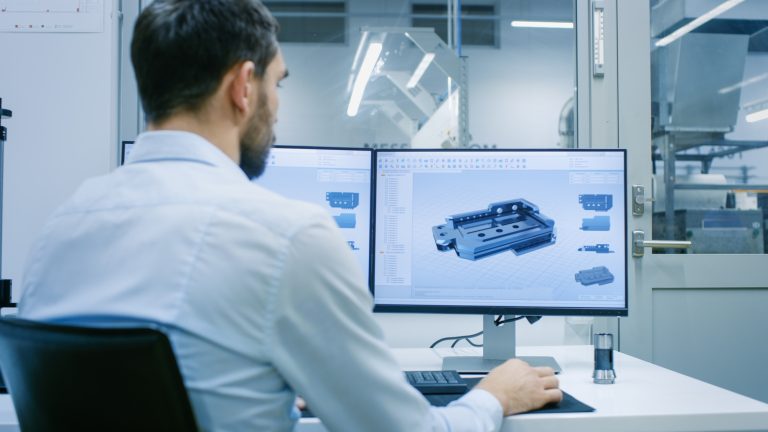
The only constant in business today is change. Changes are everywhere in the business climate now. To adapt to change as quickly as possible, you must always evaluate all your business tools, including your engineering tools, especially your CAD platform, to see if they’re still up to dealing with the fast-changing landscape and business challenges. Deciding to switch to SOLIDWORKS from your current CAD platform could be one of the best decisions your team could make to let you realize exponential growth and unlock incredible efficiency.
When evaluating your CAD platform, you must take a complete assessment of your current business practices and workflows. It also takes into consideration future growth and changes on the horizon. When evaluating the switch to a new CAD platform like SOLIDWORKS, there are several key questions you need to consider as part of this comprehensive assessment. Below are several common questions we have from clients who are going through this evaluation process.
Licensing Models
“We feel like our CAD provider is moving us into a software SaaS subscription license model!”
Many software providers are introducing Software As A Service (SaaS) models where you end up leasing the software and paying a lower yearly subscription fee than if you outright purchased the software. While this is an excellent choice for teams who may have an inconsistent headcount or varying software needs, some companies like to own their licenses and pay the subscription for maintenance. Typically, we see software companies eliminating the perpetual licensing model in favor of SaaS. However, SOLIDWORKS still retains both models, allowing you to choose what’s best for your team.
- Perpetual Licensing allows you to purchase the software license outright. The license is an asset of the company that can be used forever with the version it was purchased for. Along with a small subscription, you will get access to all future software enhancements, technical support from your Value Added Reseller, and other subscription benefits.
- Subscription Licensing has two options: a term license that has a physical serial number and can be floated to multiple users, or a named user license that is tied to a specific person. This also includes access to all future software enhancements, technical support from your value-added reseller, and other subscription benefits.
 Cost of ownership differences between license models
The different options for SOLIDWORKS licensing let you decide what will work best for your business, unlike other software vendors that use the “one-size-fits-all” approach.
Education and Applicant Pool
“It’s difficult to find employees who know our current CAD platform”
As the industry-leading design tool, SOLIDWORKS is being taught in high school, colleges, and postgraduate universities, paving the way for an educated workforce. SOLIDWORKS provides a dedicated curriculum for these institutions that leads students from foundations to being able to tackle a certification exam like the Certified SOLIDWORKS Associate and Professional. Having new recruits properly trained throughout education can give you confidence that you’ll have a great pool of applicants ready to take on any challenge.
As a result of getting SOLIDWORKS experience early on, industry professionals find themselves to be passionate about the software. SOLIDWORKS User Groups provide an outlet for users around the world to come together for all things SOLIDWORKS. Whether it’s discussing the latest release, talking through current challenges, or just sharing best practices they’ve found the User Groups are always there as an additional layer of support for your team.

SOLIDWORKS Certification Program
A strong reseller network further supports this ecosystem with large and dynamic resellers like TriMech and Javelin, which play a central role in supporting academic institutions and the large SOLIDWORKS professional community. TriMech provides comprehensive SOLIDWORKS training, certification prep, and technical expertise. The support we deliver goes way beyond just our clients and extends to the entire community of user groups, Makers, and Education programs.

SOLIDWORKS User Group chapters across the world
Together, these things guarantee a large group of resources you can pull from. The intuitive interface of the SOLIDWORKS software makes it easy for people to learn on their own. Many professional users have validated certifications on their knowledge of the software. By making the switch to SOLIDWORKS, you’ll always have a large pool of applicants and can maintain a highly trained team.
Features and Enhancements
“We are not seeing any major improvements to our system to help support our growth goals…”
Since the launch of SOLIDWORKS in 1995, the software has always had the same overwhelming focus on an easy-to-use interface and intuitive workflows. They also built the CAD platform around the 3D model design space. This integration extends to FEA and CFD simulation and Computer-Aided Manufacturing systems.

CFD simulation integrated into SOLIDWORKS
The comprehensive backbone allows all this data to be managed efficiently and for collaboration across large teams. The data management products enable this with SOLIDWORKS PDM Professional and 3DEXPERIENCE. Throughout the year, multiple updates to the software always offer additional functionality and improvements. There is one big major release around the end of the year that contains the most enhancements and improves functionality in the CAD Platform software. All this goes back to the continuous improvement methodology, which makes everything more efficient and easier to use.
Legacy Data
“Change is hard… What about all of our legacy data?”
When transitioning to a new CAD platform, one of the most important things is your legacy data, which consists of all your CAD data, which contains all your company’s knowledge and IP. Legacy data can also consist of physical items like fixtures and assemblies that are not documented and only exist in physical form. Today, you can easily take the physical components and 3D scan them to create SOLIDWORKS geometry.

Converting a legacy 2D drawing into 3D
When working with other CAD systems, SOLIDWORKS makes the transition as seamless as possible. If you’re starting with traditional drawings, SOLIDWORKS has easy-to-use, integrated tools to convert these 2D designs into 3D models. However, if you want to bring over legacy 3D models, you either leverage neutral formats and convert them to SOLIDWORKS parts or directly open 3rd-party file formats. With 3DInterconnect, you’re able to use files from other CAD platforms in your designs without any conversion, preserving the hard work already put in.
How TriMech and Javelin Can Help You Switch to SOLIDWORKS
TriMech is one of the largest Value-Added Resellers (VARs) in North America, and the greater TriMech Group extends globally. With over 300 engineers across our territory, we support over 30,000 clients globally. We work closely with our clients and build a partnership to determine the best solutions from the SOLIDWORKS and 3DEXPERIENCE portfolios to promote growth in your business. We support the software’s training and work as your close partner in helping you implement your CAD platform.
To learn more about making the switch to SOLIDWORKS, click here.
Cloud Software
Berita Olahraga
Lowongan Kerja
Berita Terkini
Berita Terbaru
Berita Teknologi
Seputar Teknologi
Berita Politik
Resep Masakan
Pendidikan
